Gradient QR codes
Give your QR code up to five colours. Pick a palette or build your own, then choose one of eight directions or a radial gradient. Free in the editor and in the API.
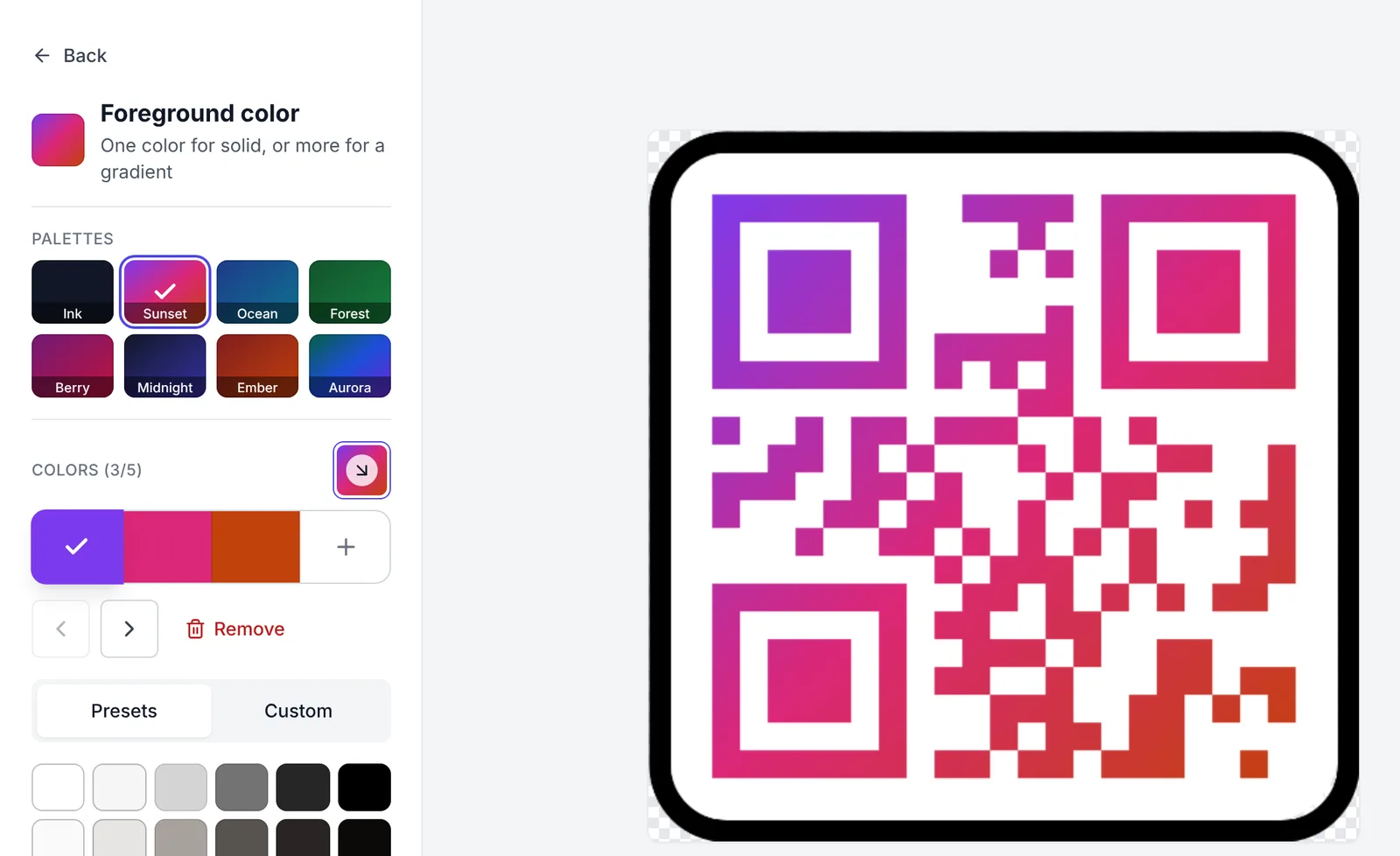
The foreground of a QR code can now be a gradient, not only one colour.
To make one:
- In the editor, open the Styling tab and click Foreground color.
- Click Add color, or pick a palette such as Sunset, Ocean or Aurora. One colour draws a solid code. Two to five colours draw a gradient.
- Open the Gradient direction picker. Choose one of eight directions, or Radial in the middle to go from the centre out.
Select a colour to change it, move it earlier or later, or remove it. The preview updates as you edit.
One gradient goes across the whole design: the modules, the corners and the shape around the code. It does not restart on each dot.
Keep every colour dark enough. A scanner reads the weakest part of the code, and that is usually the light end of a gradient. The editor checks each colour against the background and shows a warning when one of them is too light to scan well.
Gradients are free. The QR API takes them too: send two or more colours in design.foregroundStyle.colors, and set type and direction if you want something other than top to bottom.